Monitor replacement – using a projector for a home office setup
There is a particular kind of ache that settles into your shoulders after weeks of hunching over a laptop screen the size of a paperback. If you have chased good coffee and reliable Wi-Fi across a dozen apartments, you already know the ritual: unfold the machine, prop it on whatever surface the rental provides, and squint. A second monitor would help, but monitors are heavy, fragile, and utterly hostile to a carry-on lifestyle. So what if the answer was not a monitor at all?
Picture instead a device that fits in the palm of your hand, weighs less than a hardback, and can throw a hundred-inch workspace onto the bare wall of a stripped-back studio in Lisbon or a bamboo bungalow in Canggu. Projectors — long the domain of home cinema enthusiasts and boardroom presentations — have quietly become one of the most interesting tools a location-independent professional can pack. The technology has shrunk, brightened, and dropped in price to the point where using a projector as your primary display is no longer an eccentric experiment. It is a genuinely viable home office setup.
This is not a gimmick pitch. There are real trade-offs, and the projector life is not for everyone or every task. But if you value packing light, working comfortably, and turning any blank wall into an expansive canvas, it deserves a serious look. Let's walk through what the projector-as-monitor life actually feels like, how to set one up well, where it stumbles, and how to make it sing in the kinds of spaces nomads actually inhabit.
Why a Projector Beats a Monitor for the Mobile Office
The most obvious argument is physical. A decent portable projector weighs somewhere between 300 grams and a kilo, roughly the mass of a paperback novel or a water bottle. Compare that to even a slim portable monitor, which brings glass, a stand, and the constant low-grade anxiety that the screen will crack in transit. A projector, by contrast, has no fragile display surface of its own — the wall does that work. You can wedge it into a corner of your backpack without wrapping it in a jumper and holding your breath through airport security.
Then there is the sheer scale. No portable monitor gives you a hundred-inch canvas, but a projector does — and it does so without adding a gram once you've unpacked it. That expanse changes how you work. You can lay a document beside a browser beside a video call and actually read all three at once. For anyone who spends long days juggling windows on a cramped laptop, the ergonomic and cognitive relief is real. You sit back, lift your gaze off your lap, and your neck stops filing complaints. It is the difference between working in a cupboard and working in a room.
There is also a quieter, less measurable benefit: adaptability. A monitor demands a desk, a stand, and a fixed viewing position. A projector adapts to whatever room you land in. Working from a co-living space where desks are scarce? Point it at a wall from the sofa. Stuck in a tiny studio with no room for a second screen? The projected image takes up zero floor space. If you are still figuring out how to make the leap into this lifestyle, the packing math matters enormously, and this is exactly the kind of gear decision that comes up when you transition from a 9-to-5 to a nomadic setup.
Setting Up a Projector as Your Primary Display
Start with the surface. You do not need a proper projector screen — you need a wall that is reasonably flat, reasonably light, and reasonably matte. A white or pale-grey wall is ideal; glossy paint bounces hotspots back at you, and dark walls swallow the image. If the only clear wall is patterned or coloured, a cheap collapsible screen or even a large sheet of white foam board can rescue the picture. Position yourself so the projector sits behind or beside you, not in your line of sight, and angle it as squarely at the wall as possible to minimise distortion.
Next, tackle the geometry. Two features make or break the experience: keystone correction and autofocus. Keystone correction squares up the image when the projector is off-centre, so your rectangle stays a rectangle rather than a lopsided trapezoid. Autofocus saves you the fiddly business of nudging a focus wheel every time you move the device. Most modern portable units handle both automatically, and it is worth prioritising these features over raw resolution when you buy. A crisp, correctly-shaped 1080p image beats a warped 4K one every time. Set your throw distance — how far the projector sits from the wall — to hit the image size you want, usually a metre and a half to three metres for a comfortable working display.
Finally, connect and control the light. Plug your laptop in via HDMI or USB-C, or mirror wirelessly if the projector supports it, though a cable is more reliable for latency-sensitive work. Then manage ambient light: projectors are creatures of shadow, and daylight is their nemesis. Blackout curtains, or simply working in the softer light of morning and evening, transform a washed-out ghost of an image into a rich, readable display. Think of your lighting the way you would think about the deliberate choices in any considered workspace — the same instinct behind using colour to shape a productive home office applies to how you sculpt light around a projected screen.
Enjoying this? Get more like it.
Weekly picks for remote workers and digital nomads — tools, destinations, and honest takes, straight to your inbox.
Subscribe free →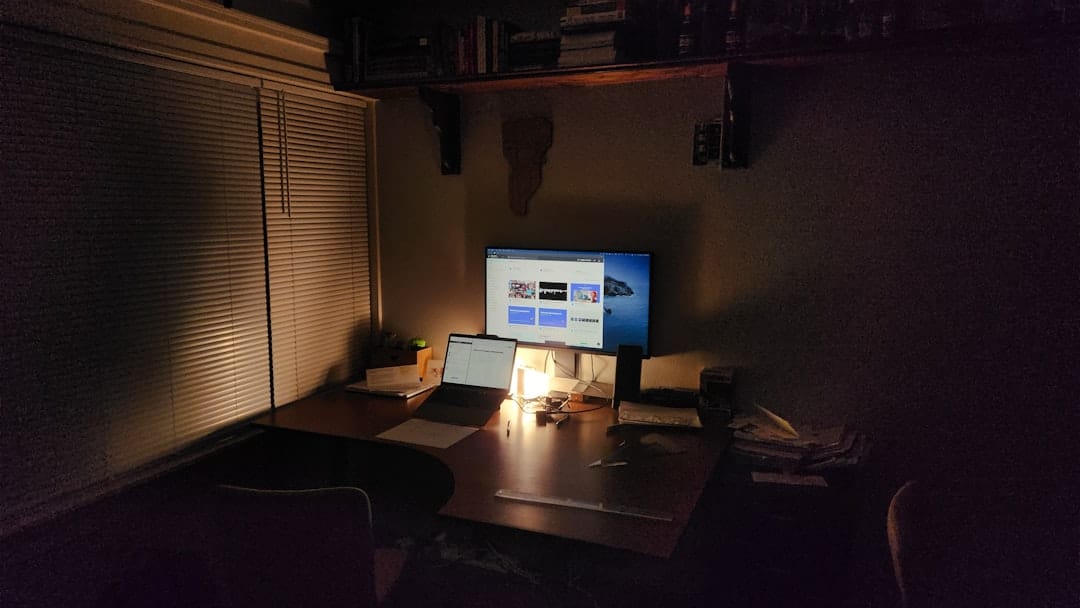
The Trade-Offs Nobody Warns You About
The Trade-Offs Nobody Warns You About
Direct comparison of projector drawbacks versus monitor advantages across real-world work scenarios.
| Work Scenario | Projector Impact | Monitor Impact |
|---|---|---|
| Bright daylight office | Difficult visibility | Crystal clear |
| Video calls & presence | Requires dim lighting | Works anywhere |
| Extended 8+ hour days | Eye strain risk | Optimized for comfort |
| Laptop-only nomading | Compact & lightweight | Bulkier setup |
Illustrative figures — composed for shape, not sourced
Let's be honest about the compromises, because pretending they don't exist helps no one. The biggest is brightness. A projector cannot compete with a sun-drenched room, and text clarity suffers in bright conditions in a way a monitor never would. If your work involves fine detail — spreadsheets with tiny fonts, pixel-level design, colour-critical photo editing — a projector will frustrate you during daylight hours. The technology rewards controlled lighting, and if you cannot control your light, you cannot fully commit to this setup. Many projector converts end up as hybrid users: laptop screen for daytime detail work, projected wall for evenings and reading-heavy tasks.
Then there is text sharpness at close range. Projected pixels are softer than the dense, crisp pixels of a modern laptop or monitor. For long reading sessions this softness can actually be gentler on tired eyes, but for anything requiring razor precision it falls short. Input lag is another consideration — most portable projectors add a small delay, harmless for writing or reading but noticeable if you edit video or, heaven forbid, game on your breaks. And the fan noise, while modest, is a constant companion. In a silent room it hums; on a call it is usually inaudible to others but occasionally present to you.
Power and heat round out the list. Battery-powered projectors are wonderfully free but rarely last a full working day, so you'll often be tethered to an outlet anyway. They run warm, and in a hot climate without air conditioning that heat is not nothing. None of these trade-offs is a dealbreaker on its own, but stacked together they explain why a projector is best understood as a brilliant supplement or a situational primary display rather than a universal monitor replacement. Know your work, and you'll know whether the compromises cost you anything at all.
Making It Work in Real Nomad Spaces
The projector truly comes into its own in the spaces nomads actually rent. Consider the archetypal budget apartment in one of the affordable slow-travel cities so many of us gravitate toward: a single room, a bed, a small table, and blank walls everywhere. A monitor would need a desk you don't have and a stand you don't want to buy. A projector needs only that empty wall above the bed or beside the kitchenette. In cities where you can find generous rooms for modest rent — the kind featured in guides to slow-travel cities on a budget — you'll often have a large white wall going to waste, and a projector transforms it into an office worthy of a corner suite.
Co-living and co-working environments call for a slightly different approach. In shared spaces, courtesy matters: a projector throwing your inbox across a communal wall is not a great look, and fan noise in a quiet lounge earns you side-eye. Reserve the projector for your private room and lean on the shared desks and monitors during collaborative hours. That said, a small portable unit is a wonderful evening companion in a private co-living room, turning downtime into cinema and work hours into something spacious. The best of these spaces are built for exactly this kind of flexible living, as you'll see in roundups of affordable co-living spaces for digital nomads.
Climate and geography shape the experience too. In tropical destinations where the sun blazes through thin curtains from dawn, plan to do your projected work in the cooler, dimmer edges of the day and save the laptop for the harsh midday glare. In northern European winters, by contrast, the long dark afternoons are practically made for a big glowing wall of work. Adapt to the light your destination gives you rather than fighting it, and the projector rewards you with a workspace that feels expansive no matter how modest the four walls around it actually are.
Choosing the Right Portable Projector
Choosing the Right Portable Projector
Feature comparison of three popular portable projectors suited for remote work and nomadic travel.
| Feature | Budget Option | Mid-Range | Premium |
|---|---|---|---|
| Brightness (ANSI Lumens) | 500–700 | 1000–1500 | 2000+ |
| Portability (Weight) | 1.5–2 kg | 2.5–3.5 kg | 3.5+ kg |
| Daylight Performance | Dim rooms only | Partial daylight | Good daylight |
| Connectivity Options | HDMI, USB-C | Wireless + wired | All options |
| Price Range (USD) | $200–400 | $500–900 | $1000+ |
| Best For | Budget travelers | Balanced nomads | Luxury setup |
Illustrative figures — composed for shape, not sourced
When shopping, brightness is your first filter. Measured in lumens (or the marketing-friendly ANSI lumens, which is more honest), aim for the highest figure your budget allows — realistically several hundred ANSI lumens for a portable unit, more if you cannot fully darken your rooms. Be wary of inflated brightness claims from unbranded devices; ANSI lumens are the number that counts, and a lower honest figure beats a fantastical marketing one. Resolution matters less than you'd think for productivity, but native 1080p is the sensible sweet spot for reading text comfortably at a working distance.
Prioritise the quality-of-life features that make daily use painless. Autofocus and automatic keystone correction, as mentioned, save you real frustration. USB-C connectivity means a single cable can carry both video and, sometimes, power. A built-in kickstand or adjustable feet let you aim without stacking books underneath. Onboard smart-TV software is a nice-to-have for downtime but irrelevant for work, so don't pay a premium for it. And check the throw ratio to make sure the projector can produce a usable image in the room sizes you typically rent — a short-throw unit is a lifesaver in cramped studios where you can't back the device far from the wall.
Finally, weigh the ecosystem around the device. Pack a compact HDMI or USB-C cable, a small tripod if the projector supports one, and a lightweight blackout solution — a couple of blackout blinds with suction cups, or a packable panel — that lets you tame light in unfamiliar rooms. Software matters as much as hardware here: pairing your projected workspace with the right window-management and productivity tools keeps that big canvas organised rather than chaotic, and there is plenty of free software for remote work that pairs beautifully with a spacious display.
Swapping a monitor for a projector is not the right move for everyone. If your work lives in bright rooms and demands pixel-perfect precision all day long, stick with a screen. But for the many of us who read, write, code, and take calls across a shifting landscape of rentals, a portable projector offers something no monitor can: a vast, weightless workspace that folds into a corner of your bag and blooms across any blank wall you find. It is the rare piece of gear that makes travelling lighter and working bigger at the same time.
Try it for a week in a room you can darken, and pay attention to how your body responds — the way your neck lifts, your shoulders drop, and your eyes settle into that softer, larger light. You may find, as many have, that the best home office setup is not one you build around a screen at all, but one you throw against the wall wherever the road happens to take you.