Boosting Productivity with Ergonomic Home Office Accessories for Remote Workers
There's a particular kind of ache that creeps in around the third hour of a working day. It starts low in the shoulders, then migrates up the neck, settling somewhere behind the eyes. If you work remotely — whether from a sunlit apartment in Lisbon, a co-living loft in Bali, or the spare room you've converted back home — you know this feeling intimately. The freedom of location independence comes with a quiet cost: nobody sets up your workspace for you anymore. No office manager wheels in an adjustable chair. No facilities team mounts your monitor at the correct height. It's just you, a laptop, and whatever surface happens to be nearest.
This is where the conversation about productivity usually goes wrong. We reach for apps, timers, and elaborate morning routines, when the real bottleneck is often physical. A body that hurts cannot focus. A wrist bent at the wrong angle for eight hours will eventually demand its due. The good news is that ergonomic home office accessories — the humble, unglamorous tools that support your posture and ease strain — are among the highest-return investments a remote worker can make. They are cheaper than a therapist and far more portable than a proper office.
What follows is not a shopping list dressed up as advice. It's a way of thinking about how your body meets your work, and how a handful of well-chosen objects can transform a cramped, painful setup into something that lets you disappear into deep work for hours. Because comfort, it turns out, is not a luxury for the remote worker. It's the foundation everything else is built on.
Why Your Laptop Is Quietly Wrecking Your Posture
The laptop is a marvel of compromise. It folds a screen and a keyboard into one flat slab, which is exactly what makes it portable — and exactly what makes it terrible for your spine. When the screen sits low enough for your fingers to reach the keys, your head tilts forward and down. Hold that position for a working day and you're loading your neck with the equivalent of a small child hanging off it. Over weeks and months, this quietly reshapes how you sit, how you breathe, and how quickly you tire.
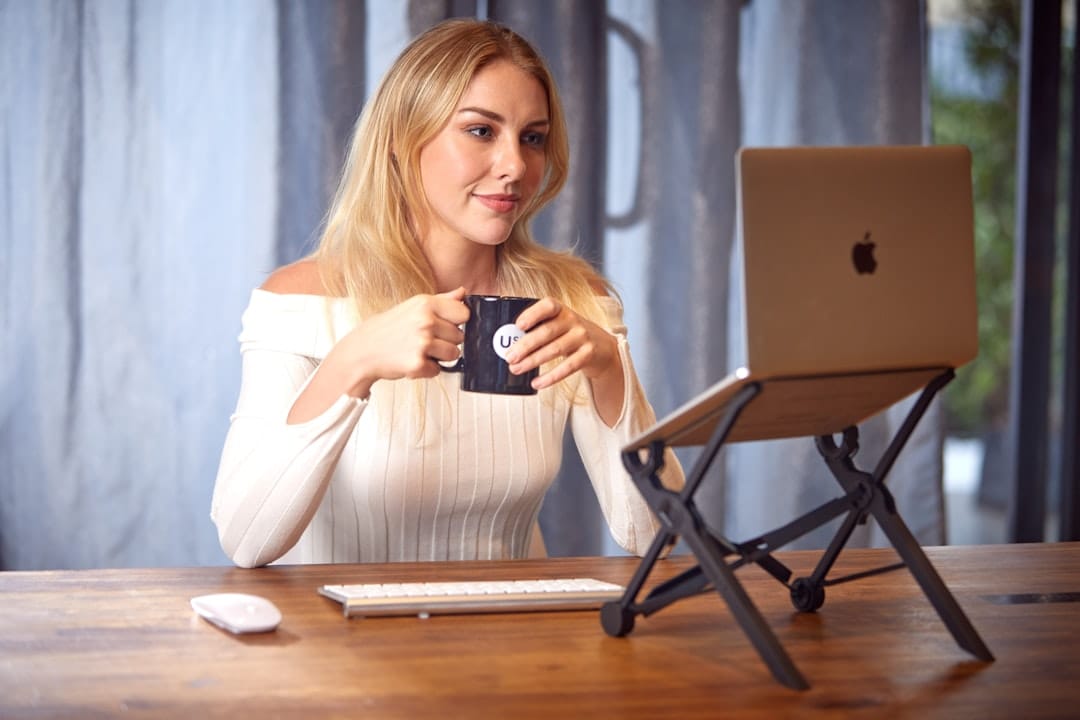
The single most transformative accessory for anyone working from a laptop is a stand that lifts the screen to eye level. Suddenly your gaze lands naturally at the top third of the display, your chin stays level, and your shoulders drop from the hunched position they'd forgotten they were in. Pair that stand with an external keyboard and mouse, and you've decoupled the two competing demands — screen height and hand position — that a laptop forces into a single, impossible spot. This one change does more for daily comfort than almost anything else.
For those who move frequently, the concern is always portability, and it's a fair one. But the market has caught up. Featherweight folding stands collapse to the size of a paperback and weigh next to nothing. Compact wireless keyboards slip into the same sleeve as your laptop. If you're building a mobile kit, it's worth remembering the same discipline that governs good packing generally — a philosophy explored in this guide to carry-on-only travel — where every item must earn its place in the bag.
Building a Setup That Travels: The Portable Ergonomics Kit
Building a Setup That Travels: The Portable Ergonomics Kit
Comparison of essential portable ergonomic accessories and their travel-friendliness ratings.
| Accessory | Weight (lbs) | Packability | Value for Nomads |
|---|---|---|---|
| Laptop Stand | 1.2–2.0 | Easy to pack | Essential |
| Ergonomic Keyboard | 1.5–2.5 | Compact fold | Highly recommended |
| Wrist Rest Pad | 0.3–0.5 | Very portable | Worth including |
| Monitor Arm | 2.0–3.5 | Harder to pack | For settled bases |
| Lumbar Cushion | 0.8–1.2 | Moderately portable | Optional add-on |
Illustrative figures — composed for shape, not sourced
If your office changes every few weeks, ergonomics has to fit in a bag. The trick is to identify the three or four accessories that give you the biggest return per gram carried. A folding laptop stand tops the list, followed closely by a slim wireless keyboard and a low-profile travel mouse. Together these three items rebuild the essentials of a proper workstation almost anywhere — a café table, a hotel desk, a co-working hot desk.
Beyond the core trio, a few smaller items punch above their weight. A compact laptop-friendly lumbar cushion — the inflatable kind that flattens to nothing — turns a hard café chair into something survivable. A pair of blue-light glasses eases the strain of long screen sessions under harsh lighting. And a small cable organiser saves you the daily frustration of untangling a nest of chargers, which sounds trivial until you've done it in a rush before a client call. None of these weigh much, and each removes a small daily friction that would otherwise accumulate into fatigue.
When you're choosing accommodation, the workspace matters more than the aesthetics of the listing photos. Many purpose-built spaces now cater directly to this need, offering proper desks and chairs as standard — one reason the best co-living spaces for digital nomads have become so popular. Even so, carrying your own small kit means you're never dependent on the furniture you find. You bring your workstation with you and adapt it to whatever room you land in.
Enjoying this? Get more like it.
Weekly picks for remote workers and digital nomads — tools, destinations, and honest takes, straight to your inbox.
Subscribe free →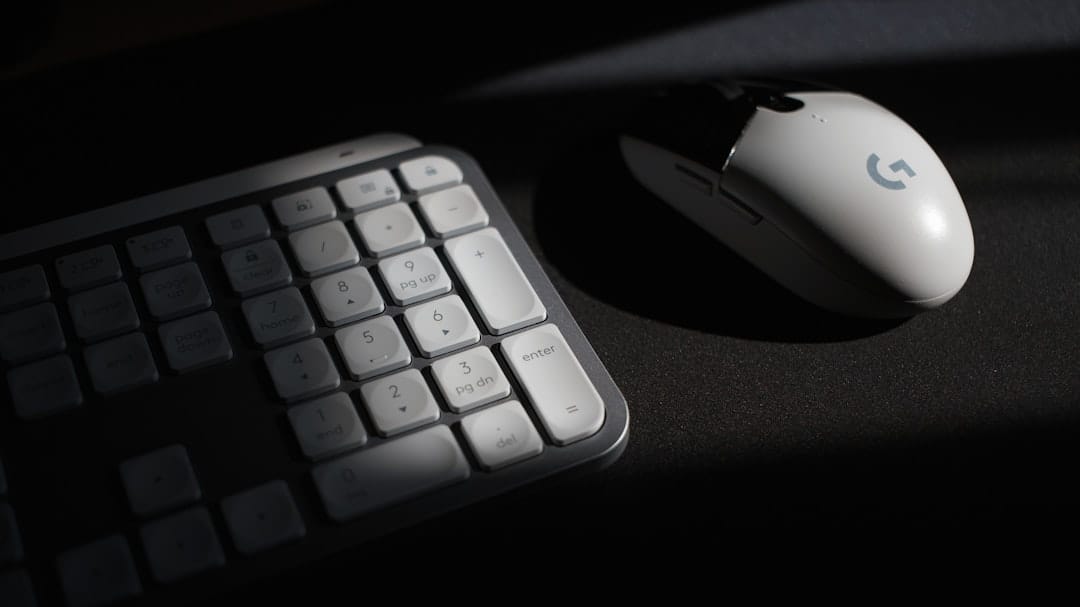
The Chair, the Wrists, and the Small Details That Add Up
When people picture ergonomic accessories, they usually imagine an expensive chair — the kind with a dozen levers and a mesh back that costs more than a flight to Bangkok. And yes, if you have a fixed base, a good chair is a genuine investment. But you don't always need to buy the chair itself; you often just need to correct the one you have. A firm seat cushion raises you to the right height relative to your desk. A lumbar support restores the natural curve of your lower back that most chairs ignore. A simple footrest — or a stack of books — stops your legs dangling and takes pressure off your thighs.
The wrists deserve special attention, because repetitive strain builds silently and then arrives all at once. A gel wrist rest in front of your keyboard keeps your hands in a neutral line rather than bent upward, which is where a great deal of typing pain originates. Vertical or contoured mice, which position the hand in a handshake grip rather than flat, relieve the rotation that flat mice force on the forearm. These are small objects, easy to overlook, but they protect the very tools — your hands — that make your remote work possible in the first place.
Lighting is the detail most people forget entirely. Staring into a bright screen in a dim room forces your eyes to work overtime, and eye strain has a way of masquerading as general tiredness. A small, adjustable desk lamp that fills your workspace with even, warm light reduces that strain enormously. Combine thoughtful lighting with a considered palette — the subject of how colour psychology shapes home office productivity — and you begin to see the workspace not as a random collection of gear but as an environment engineered around the way you think and feel.
Common Mistakes That Undo All Your Good Gear
The first and most common mistake is buying the accessories and then never adjusting them properly. A monitor stand set too high causes as much trouble as no stand at all. A chair with lumbar support that sits in the wrong spot on your back does nothing. Ergonomics is not about ownership; it's about fit. Take the time to tune each piece to your own body — feet flat, thighs parallel to the floor, forearms level, screen top at eye height, gaze angled slightly down. Ten minutes of setup pays dividends across months of work.
The second mistake is believing that the perfect setup removes the need to move. It doesn't. No accessory, however clever, can substitute for changing position throughout the day. The healthiest posture is always the next one. Stand up, walk, stretch, look out a window at something more than an arm's length away. A standing-desk converter helps here by letting you shift between sitting and standing without ceremony, but even without one, a simple hourly reminder to rise and move does more than any single object on your desk.
The third mistake is subtler and more insidious: treating physical setup as separate from mental wellbeing. Chronic low-grade discomfort feeds directly into stress, irritability, and the slow erosion of motivation that many remote workers eventually recognise as burnout. If you find yourself dreading the desk, the problem may be as much physical as psychological. It's worth reading up on managing digital nomad burnout, because a comfortable body and a resilient mind are far more connected than most productivity advice admits.
Adapting Your Setup to Wherever You Land
One of the quiet joys of location-independent work is the sheer variety of places you'll type from — a tiled terrace in Andalusia, a hushed café in Kyoto, a sun-warmed balcony overlooking a valley. Each of these places asks something different of your setup. A café with low, soft chairs will punish your back within an hour unless you've brought a lumbar cushion. A bright terrace turns your screen into a mirror unless you've got an anti-glare filter or the sense to angle away from the sun. Learning to read a space quickly — where's the light, how firm is the seat, is there anything to raise the laptop on — becomes second nature the longer you travel.
Climate matters more than you'd expect. In humid tropical destinations, your hands sweat and mice can stick; a cloth pad and breathable wrist rest help. In cooler mountain towns, cold fingers stiffen and slow your typing, so a lap blanket earns its keep. Even the length of your stay shapes your choices — a two-day stopover justifies only the lightest kit, while a two-month base in a slow-travel city rewards you for hunting down a proper chair or a rentable desk. Choosing destinations that support a settled rhythm, like those featured among the best slow travel cities for digital nomads, makes it far easier to build the kind of stable, comfortable routine that ergonomics really depends on.
The overarching principle is adaptability rather than perfection. You will not recreate an ideal office in every room you rent. What you can do is carry the few items that matter most and develop the habit of adjusting whatever you find. A stand, a keyboard, a cushion, a good lamp — with these in your bag and a little practice, almost any space becomes workable. That flexibility is what separates a stressful nomadic setup from a sustainable one.
Productivity, in the end, is rarely about squeezing more hours out of the day. It's about removing the small, constant frictions that drain your energy before you've even begun the real work. A screen at the right height. Hands resting in a natural line. A back that isn't quietly protesting. These things sound minor, but they compound — hour after hour, day after day — into the difference between finishing strong and dragging yourself to the end of every afternoon.
So treat your ergonomic home office accessories not as gadgets but as the quiet infrastructure of your working life. Invest in the few that matter, tune them to your body, keep moving through the day, and adapt them to each new place you find yourself. Do that, and the ache that used to arrive by mid-morning simply stops coming. What's left is a body that supports you and a mind free to do its best work — wherever in the world you happen to open your laptop.