Traveling full time made me way more aware of privacy risks
There's a particular moment that happens somewhere around the third country of full-time travel. You're sitting in a café in a city whose street names you can't quite pronounce, laptop open, a cortado cooling beside you, and you go to log into your bank account. The screen flickers. A little warning appears: unusual login location detected. And suddenly you realise that the convenience you've built your entire life around — the public Wi-Fi, the cloud storage, the password you've used since university — is also a thin, fraying membrane between your private life and a world full of people who would love to peel it back.
For most people with a fixed address and a single home network, privacy is something abstract — a checkbox in a cookie banner, a headline about a data breach you skim and forget. But when you travel full time, the abstract becomes physical. You connect to dozens of networks a month. You hand your passport to hostel clerks. You work on payments and contracts from airport lounges. Every border crossing, every shared dorm, every coworking desk introduces a new vector for something to go wrong. The lifestyle that promises freedom quietly demands a kind of vigilance that office-bound colleagues rarely have to think about.
This isn't a fear piece. The point isn't to scare you off the road — quite the opposite. The point is that a little awareness, baked into your routine the way brushing your teeth is, lets you keep moving freely without leaving a trail of vulnerabilities behind you. What follows is what years of watching the patterns of nomadic life have made plain: the risks are real, but they're manageable. You just have to learn to see them.
The Public Wi-Fi Trap You Stop Noticing
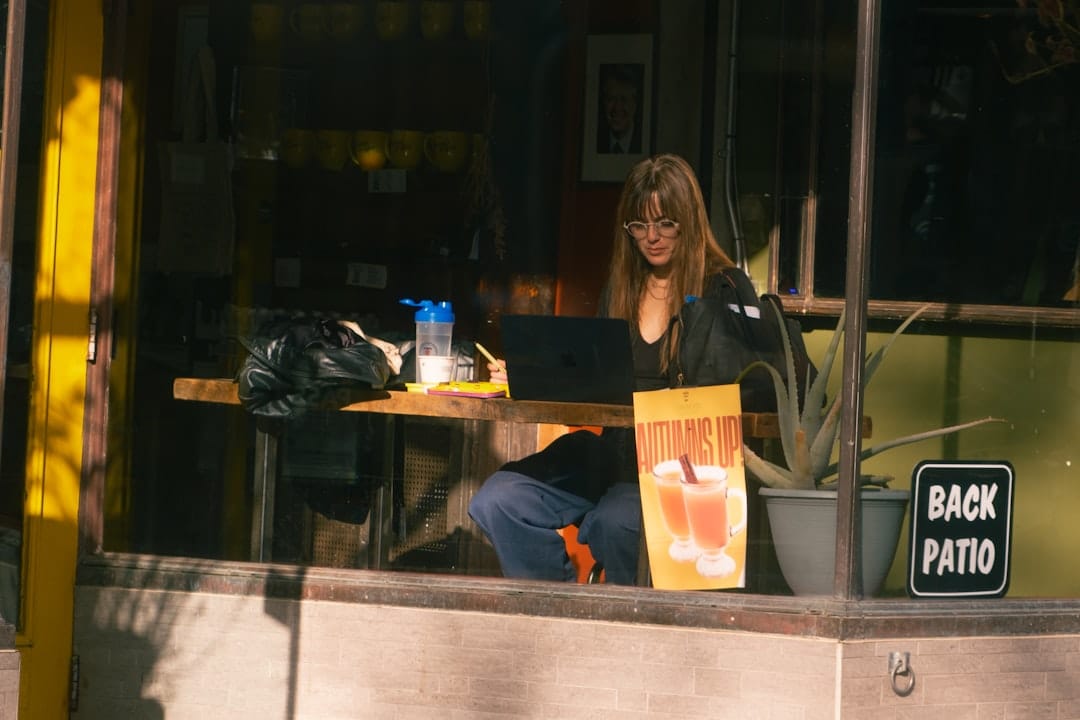
When you first start travelling, public Wi-Fi feels like a small miracle. Free internet at the café, the airport, the bus terminal, the beach bar. You connect without a second thought because connecting is how you eat, how you work, how you stay in touch with everyone you've left behind. But familiarity breeds carelessness, and the networks that feel like lifelines are also the easiest places for someone to intercept what you're doing. An open network — one with no password — broadcasts your traffic in a way that a moderately curious person at the next table can capture with free, widely available software.
The more insidious threat isn't the legitimate café network — it's the fake one set up to mimic it. A laptop running a rogue access point named something like "Cafe_Guest_Free" will happily let you connect, harvest your data as it passes through, and pass you along to the real internet so you never notice. These so-called evil twin attacks thrive in exactly the environments nomads frequent: crowded transit hubs and tourist districts where everyone expects free Wi-Fi and nobody questions a familiar-looking network name. The fix is unglamorous but absolute. Run a reputable VPN before you connect to anything, every single time, until it becomes muscle memory. A VPN encrypts your traffic so that even on a compromised network, what's intercepted is gibberish.
There's a second habit worth building alongside it: stop letting your devices auto-connect to remembered networks. Your phone will cheerfully reconnect to anything named after a network you've used before, which means an attacker can broadcast that exact name and pull you in silently. Turn off auto-join. Tether to your own phone's data for anything sensitive — banking, payments, signing contracts. Mobile data isn't bulletproof, but it's a private channel rather than a shared room, and that distinction matters more than most travellers appreciate until something goes wrong.
Your Devices Carry Your Whole Life — And Cross Borders
Your Devices Carry Your Whole Life — And Cross Borders
Essential device security practices and what nomads should enable before crossing international borders.
| Security Feature | Critical | Recommended | Optional |
|---|---|---|---|
| Full-disk encryption | Enabled | Enabled | Enabled |
| Remote wipe capability | Configured | Configured | Not needed |
| Biometric unlock | Enabled | Enabled | PIN backup |
| VPN always active | Required | On public networks | Optional |
| Two-factor authentication | All accounts | Email and banking | Social media only |
Think for a moment about what's actually on your laptop. Client files. Banking apps with saved logins. Years of email. Photos of your passport that you took "just in case." Tax documents. The credentials to every account you own, often saved in a browser that fills them in automatically. For someone with a home and an office, that device rarely leaves a controlled environment. For a nomad, it travels through airports, sits in hostel lockers, rides in the overhead bins of budget airlines, and occasionally gets handed over at a border for inspection. The single most valuable object you own is also the most exposed.
Full-disk encryption is the floor, not the ceiling. Modern laptops offer it natively — FileVault on a Mac, BitLocker on Windows — and once enabled, a stolen or seized device is a useless brick to anyone without your password. Combine that with a genuinely strong device password rather than a four-digit PIN, and you've already eliminated the most common loss scenario: the opportunistic theft of an unattended bag. The thief gets hardware to fawn off cheaply, not your identity. That gap between losing a thing and losing your life is the entire game.
Border crossings deserve their own paragraph because the rules change the moment you reach customs. In many countries, agents can ask to inspect your devices, and refusing can mean denial of entry. The pragmatic approach is to travel with as little sensitive data physically on the device as possible — keep the bulk in encrypted cloud storage you can pull down later, log out of accounts before sensitive crossings, and consider a clean, minimal device profile when entering jurisdictions with aggressive search policies. If you're juggling several clients or income streams, the same discipline that helps you stay sane while you manage multiple remote jobs without burning out applies here: compartmentalise, and don't carry everything everywhere.
Enjoying this? Get more like it.
Weekly picks for remote workers and digital nomads — tools, destinations, and honest takes, straight to your inbox.
Subscribe free →
The Accounts Behind the Accounts
Here is the quiet truth that full-time travel teaches faster than anything: your accounts are only as strong as the weakest password protecting them, and the average person reuses passwords across dozens of services. One breach of a forgotten forum from years ago, and an attacker has a key they'll try in every lock that matters. When you're moving constantly, logging in from new locations and devices, the warning signs that might tip off a settled person — an unexpected login alert, a strange charge — blur into the background noise of a life already full of new cities and new card readers that occasionally decline.
A password manager is the single highest-leverage tool a nomad can adopt. It generates and stores a unique, complex password for every account, so that a breach in one place stays contained to that one place. You remember a single strong master password and the manager handles the rest, syncing securely across your phone and laptop so you're never locked out at a critical moment in a country where customer support is twelve time zones away. Pair it with two-factor authentication on everything that offers it — email and banking above all — and you've built a defence that withstands the overwhelming majority of attacks aimed at ordinary people.
One nuance trips up travellers specifically: SMS-based two-factor authentication depends on your phone number, and your phone number can become unreliable the moment you swap SIM cards or your home carrier suspends service for non-use abroad. Lose access to the number that receives your security codes, and you can lock yourself out of your own accounts more thoroughly than any hacker. Use an authenticator app that generates codes offline instead, back up your recovery codes in your password manager, and keep at least one stable, internet-based phone number — a VoIP line tied to your home country — that survives every physical SIM you cycle through on the road.
Shared Spaces and the Privacy You Forget to Pack
Privacy isn't only digital, and the road has a way of reminding you. Co-living houses, hostels, coworking spaces, short-term rentals — these are the texture of nomadic life, and every one of them involves trusting people and systems you barely know with proximity to your belongings and your screen. The person at the desk behind you can read your monitor. The cleaner has a key to your room. The rental host has, in some cases, installed cameras you weren't told about. None of this means the lifestyle is dangerous; it means situational awareness is part of the rent. If you're weighing your options, our look at the co-living experience and remote work lifestyle is a useful place to understand the trade-offs before you book a shared house for a month.
A few physical habits cost nothing and pay off enormously. A privacy screen filter for your laptop turns your work into a black rectangle to anyone not sitting directly in front of it — invaluable on planes, in cafés, and at hot desks where you'll be reviewing contracts or financial dashboards in full view of strangers. Lock your screen every time you stand up, even to refill a coffee; the thirty seconds your machine sits open and logged in is exactly when an opportunist strikes. And when you arrive at a rental, a quick scan for cameras in unexpected places — smoke detectors, alarm clocks, decorative objects pointed at the bed or desk — is a sad necessity in an era of cheap surveillance gear, but it's a five-minute habit that buys real peace of mind.
Then there's the oversharing problem, which is uniquely acute for people whose lives are interesting enough to post about. Tagging your exact location in real time tells the world your room is empty. Photographing your boarding pass reveals a barcode that can be decoded into your booking details. Posting that you'll be in a remote village with no connectivity for a week is, functionally, an announcement of your absence. The instinct to document the adventure is natural, but a small delay — posting the beach photo after you've left the beach town — closes a surprising number of doors that you didn't realise were open.
Building a Routine So You Don't Have to Think About It
The mistake most travellers make is treating privacy as a project — something to set up once, congratulate themselves on, and then forget. But the road erodes setups. SIMs change, devices break and get replaced, you adopt new tools for new gigs, and slowly the careful system you built drifts into the same loose habits you started with. The travellers who stay genuinely secure are the ones who turn protection into a recurring rhythm: a monthly fifteen minutes spent reviewing which apps have access to what, rotating any password that's felt exposed, checking that backups actually ran, and confirming the VPN still launches on startup.
Backups deserve special emphasis because they protect against the failure mode that pure security can't: the device that simply vanishes. A laptop stolen from an overhead bin, a phone dropped into the sea, a hard drive that dies in the humidity — these happen, and when they do, the difference between an inconvenience and a catastrophe is whether your data lives somewhere else too. Automatic encrypted cloud backup, ideally with a second copy on a small drive you keep separate from your laptop, means a lost device is a shopping trip rather than the loss of your client work and your memories. Treat the same discipline you'd bring to your finances and your schedule — the kind of structure good time management tools for digital nomads provide — as the model for your privacy routine, and it stops being a chore.
It helps to imagine the worst case occasionally, not to dwell but to prepare. If your bag were stolen right now, what would you lose access to, and how would you recover? If you can't answer that quickly, you've found your next fifteen-minute task. Keep recovery codes somewhere reachable from a borrowed device. Know your bank's international fraud line. Store a scan of your passport in encrypted storage so a stolen original doesn't strand you. The preparation feels paranoid until the day it feels like genius.
What full-time travel ultimately teaches is that privacy is not a fortress you build once and retreat into — it's a set of small, repeated choices made in the flow of a moving life. The VPN that launches before you connect. The password manager you let do its quiet work. The screen you lock without thinking. The post you delay by a day. None of it dims the wonder of waking up in a new place with the whole day yours to shape. If anything, it deepens the freedom, because freedom built on a fragile foundation is just exposure with better scenery.
The most seasoned travellers you'll meet aren't anxious about any of this. They've simply folded it into the rhythm of the road until it costs them nothing — a background hum of good habits that lets them stay present for the parts that matter. That's the goal. Not fear, not fortress-building, but a quiet confidence that whatever the next café network, the next border, or the next hostel locker throws at you, your real life stays exactly where it belongs: with you.